

Your cart is empty
Your cart is currently empty. Let us assist you in finding the right product.


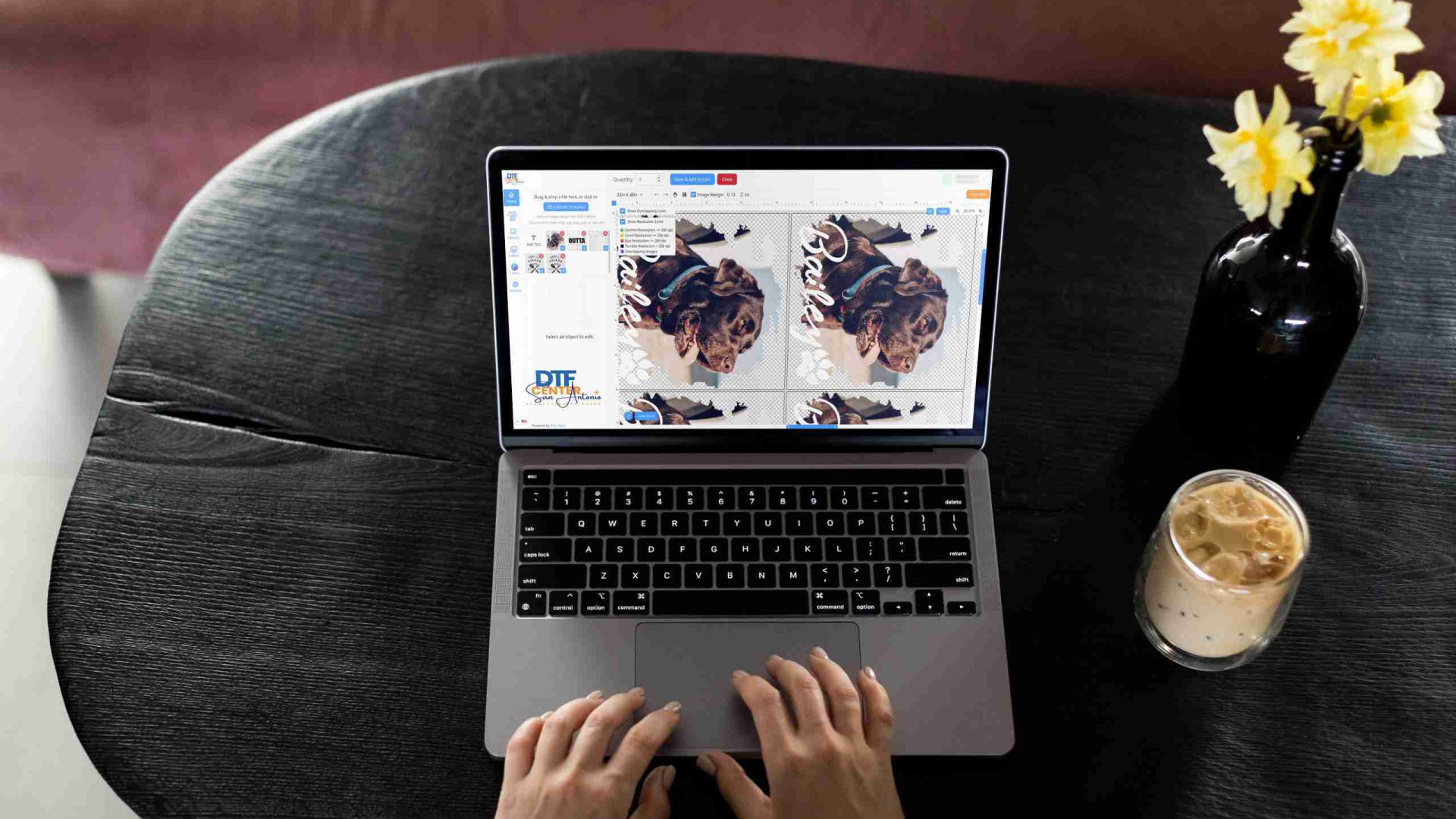
If you want to combine multiple designs into one sheet and save time, money, and material, using a gang sheet builder is the easiest way. Our DTF Gang Sheet Builder makes it fast and simple. Use it to arrange many designs on one film and get professional results every time. 🎨🔥
A DTF gang sheet is a single film sheet that contains multiple designs — logos, graphics, or multiple copies of the same design.
Instead of printing each piece separately, you put them all on one sheet. This is ideal for:
Building gang sheets manually in design software can be time consuming and prone to layout mistakes. The gang sheet builder offers:
Using the builder saves time and reduces material waste — especially helpful for businesses, apparel shops, and small creators.
Go to the “DTF Gang Sheet Builder” page. Log in or create an account to get started.
If your builder has an AutoBuild or auto layout feature — let it arrange the designs for maximum space efficiency. This helps minimize wasted film.
Before finalizing:
Once everything looks good: save the gang sheet, add to your order, checkout — and your sheet will be printed. That’s it!
✔ Lower cost per design when you print multiple items at once
✔ Faster production — less layout time, more printing
✔ Less waste of film, ink, and material
✔ Flexibility — mix and match different designs on one sheet
✔ High quality: sharp, clean prints when you use high resolution artwork
Our builder tool is designed for speed, simplicity, and reliability. Whether you are printing a few transfers or a large batch, it helps you get the most from your materials. With intuitive drag-and-drop, optional auto layout, and robust file support, building gang sheets has never been easier.
We support small business owners, independent creators, apparel shops, and anyone who wants efficient, high quality custom printing.
Log in or register, upload your artwork, arrange your designs, review carefully, and hit print. Using a gang sheet builder means less waste, lower costs, and faster turnaround — all with high quality results. 🚀
Discover more stories and style tips to keep your inspiration flowing.

05 diciembre
Buy $100.00 more to get free shipping
Your cart is currently empty. Let us assist you in finding the right product.
Cookie preferences